We remain fully operational. Our teams are working around the clock to ensure your deliveries continue safely.

DOWNLOAD THE APP


Copyright © 2025 Desertcart Holdings Limited
DOWNLOAD THE APP
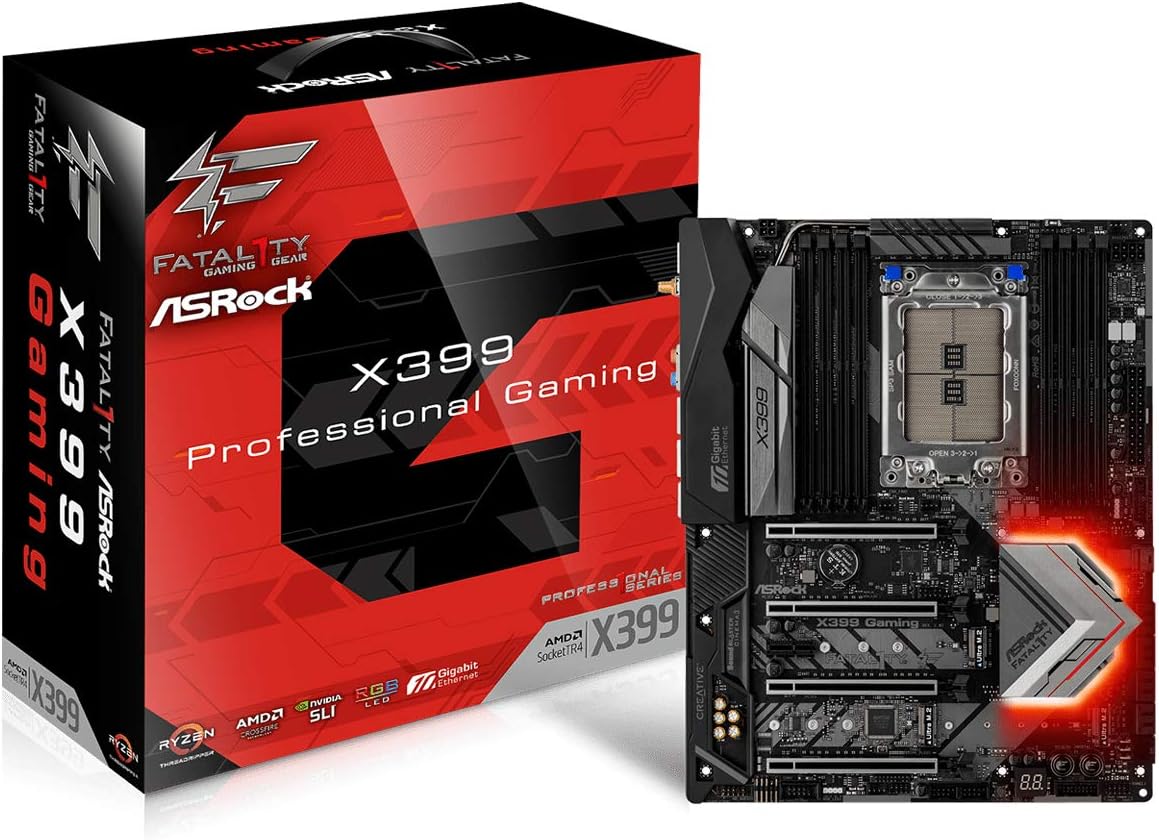

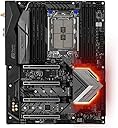

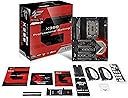
🚀 Elevate Your Gaming Experience!
The ASRock X399 PROFESSIONAL GAMING motherboard is engineered for high-performance gaming, supporting AMD TR4 Socket Ryzen Threadripper CPUs. It features advanced power delivery with 11 power phases, immersive 7.1 CH HD audio, and extensive connectivity options including multiple USB ports and storage interfaces.
| ASIN | B074J6LVBD |
| Best Sellers Rank | #3,076 in Computer Motherboards |
| Brand | ASRock |
| Built-In Media | Fatal1ty X399 Professional Gaming Motherboard |
| CPU Model | Unknown |
| Chipset Type | AMD X399 |
| Compatible Devices | Gaming Console, Personal Computer |
| Compatible Processors | AMD Ryzen Threadripper |
| Customer Reviews | 4.3 4.3 out of 5 stars (120) |
| Global Trade Identification Number | 04717677333930 |
| Graphics Card Interface | PCI Express |
| Item Type Name | Motherboard |
| Item Weight | 3 Pounds |
| Main Power Connector Type | 24-Pin |
| Manufacturer | ASRock |
| Memory Clock Speed | 2400 MHz |
| Memory Slots Available | 8.0 |
| Memory Storage Capacity | 128 GB |
| Mfr Part Number | X399 PROFESSIONAL GAMING |
| Model Name | X399 PROFESSIONAL GAMING |
| Model Number | X399 PROFESSIONAL GAMING |
| Number of Ethernet Ports | 2 |
| Number of Ports | 12 |
| Platform | No Operating System |
| Processor Socket | Socket TR4 |
| RAM Memory Technology | DDR4 |
| S/PDIF Connector Type | Optical |
| System Bus Standard Supported | SATA 3 |
| Total PCIe Ports | 5 |
| Total SATA Ports | 8 |
| Total Usb Ports | 12 |
| USB 2.0 | 2 |
| Warranty Description | 1 year |
M**N
Works well for server-style workloads
This mobo has worked out really well with the 2990WX I stuffed into it. I do not do any extreme overclocking so my rating is not based on OC capability, but the mobo had no problem XMP'ing 8 3000 Mhz sticks. I'm using a Noctua NH-U14S for cooling. Before configuring for its intended operation I did mess around with the overclocking. Memory overclocking worked like a champ, it seemed to have no trouble running 3000 Mhz memory in all 8 slots (that's the highest speed memory I have). Though for actual operation I stuffed 8 32G ECC sticks in and those are only rated at 2133 (I run them at 2666 with slightly higher memory voltages). Socket overclocking is accomplished by using XFR2 in manual mode, unlimiting the current settings and setting an overall wattage limit for the socket. That's really the easiest way to do it. Stock settings seem to want to pull in the ~350W range at the wall. I could ramp the 2990WX up to 450W at the wall (about the limit for my PSU) but honestly performance did not improve all that much if any and after a few scary power downs from messing around too much (that required some cool-down time before the BIOS would boot again) I decided that was the end of my career as an over-clocker :-) I also experimented with underclocking it... not really underclocking the frequency, but again using the PPT (socket power) limit in XFR2's manual mode to set the socket power ridiculously low. So low that the whole system was pulling only 150W at the wall with all cores fully loaded. And yes, that actually worked! Of course, the all-cores frequency in that case winds up being less than 1GHz, but the BIOS was able to do it which really impresses me. In that mode of operation it actually made sense to run the memory fabric at a slower speed (2400 or 2666) to give the CPU cores a larger portion of the power budget. For actual production operation I run 128GB of ECC at roughly 2666, plus manual XFR2 mode with PPT set a little lower than stock. I have the PPT (socket wattage) limit set such that the whole system pulls around 250W at the wall (instead of 330W at stock settings), with only a slight performance loss for the workload. I also feel that the modest memory fabric frequency helped the cores in this power-limited mode of operation. That gave us a huge, huge improvement in power/performance efficiency which matters more to us since we're paying the electricity bill. By my calculations, the most efficient point is probably around 215W, but running it slightly hotter at 250W gave us a bit of a goosing without losing too much efficiency, and 250W is still way under the stock 330W that it wanted to pull at the wall so I'm a happy camper. -Matt
M**T
plug it in, turn it on, instant monster.
I paired this with a threadripper 2920. I highly doubt I'll need to upgrade again for quite some time. Easy to install, easy setup. worked right out of the box, no BIOS updates necessary. Everything detected without any issue. The on-board wireless is nice and fast, low-overhead drivers. The three NVMe capable M.2 slots will come in handy when the drives come down in price, and all the on-board SATA slots will tide me over until then. I've had this setup since right after christmas and it's just been a tank of a system. I cannot review the on-board bluetooth because i haven't tried it yet.
M**K
1) Asrock Bios is good and bios reset button on board became handy on ...
I have bought this board for sake of building a home server. Setup: I had a trouble initially with getting the CPU (1950x) to work with the board which reported undocumented c0 error. I was then able to get it to work by removing the CPU and reseating it several times. I think Foxconn is the one to blame for making low-quality CPU sockets which caused a lot of frustration for x399 users across several board manufacturers. OS Installation: I've installed windows 10 seamlessly without any troubles and loaded all the drivers successfully in no time. Asrock software: 1) Asrock Bios is good and bios reset button on board became handy on several occasions 2) AsRock LED software crashed several times which is not big of a deal. Ram: Had no problem running a quad 3000 MHZ RAM corsair dominator at full speed. 10G connection: Windows report that the connection speed is 1G, that might be because I've connected it to a 1G switch. The overall experience so far is good as this is my first Asrock board.
A**N
This is my recommended Threadripper board for those who want to air cool using the ATX form factor!
Review is based on running bios version 3.30 with an AMD Ryzen Threadripper 2950X, My ram was chosen from the board's QVL specifically Corsair's CMW64GX4M4A2666C16 Kit, using 2 1080Ti cards, 1 M.2 SSD, and 2 HDDs. Board is stable, well built, and is easy to use and configure and runs without the slightest issue (although the boot is somewhat slower than what I'm used to (boots in about 26-27 seconds on an SSD and the BIOS load is arguably the slowest part of the boot as once windows actually begins loading its ready in seconds. If I could pick two things I'd change about the board: Include a USB 3.1 header, include more fan headers. It would also be really nice to see M.2 heat shields although maybe its not even needed since my system runs fine either way...
T**Y
Damaged upon arrival, but took time to realize what was going on
This motherboard was used as a build for a render computer. When it arrived, everything seemed in order: it posted, it booted, it seemed to run OK. But then we started noticing render jobs would be stopped and the login screen would be up in the morning. At first, it was assumed to be Windows updates. Then render jobs continued to fail, more and more, until it was blue screening every couple of hours or less. After extensive testing, it appears the B2 DIMM slot is the culprit. With two sticks of 16GB of RAM in place, Memtest86 will generate errors and the system will crash. With one stick in the A2 DIMM slot (and both sticks thoroughly tested and passing), the system runs without issue. The motherboard was replaced with a different model and is running perfectly now (over 60 hours on a single render). Of course, this was purchased in September and apparently the normal 1 year manufacturer warranty doesn't apply, so I'm out $500+ on this garbage. Really frustrated with this situation, because it was 100% faulty hardware and not my doing, but I'm the one who pays.
ナ**プ
CPU 1950X メモリ CMK32GX4M2B3000C15 グラボ 1080ti Bios 1.5 Asrockマザーの良い所と言えばM2スロットがグラボの熱風の影響を 極力受けない位置になる様に配慮してくれている点でしょうか。 PCIスロット最上段直下にはM2スロットが配置されていない設計の為 3枚フルにM2を利用する場合でもグラボが一枚の場合は 熱風直下からは逃れた配置にする事が出来ます。 地味な点に見えますが、この配置は素晴らしい配慮です。 Intel製デュアルLAN、Aqua10GBLAN等も備えており、 VRMヒートシンクはアマゾンさんの写真の通り二つ程 巨大なものが実装されています。 CINEベンチもやってみました。 4.0ghz 電圧1.3v メモリは2666で動作させています。 スコアは3275です。色んなレビューを見ますと メモリがもっと高クロックなもので有れば3400以上も行けるようですね。 OSの所がwin8proと表示になっていますが実際にはwin10 pro環境です。 製品保証が2年間有るのも安心出来ます。
D**D
My third asrock product the board looks sweet and would be great for my new server,only 4stars for now as I haven’t got the rest of the equipment to complete the build :( Update 9/5/18 build complete the board is working sweet!
B**O
Comprata per farci un lab vSphere, ottima skeda piena di slot di espansione, unico neo che la porta 10Gbit non viene vista dal ESXi 6.5U1 dato che non ci sono driver per questo OS
B**B
Je suis un peu déçu. La qualité générale semble très bonne mais au montage ce fut juste incroyable. Après lecture du manuel et revue des vidéos l'installation du Threadripper a été une horreur. La vis de serrage numéro 1 a tout simplement cassé avant que la clé dynamometrique ne clique. Impossible du reste de fixer le processeur qui je l'espère ne sera pas endommagé. Certainement une vis défectueuse mais le socket fabriqué par Foxxcon est tout simplement trop fragile. J'ai testé les vis deux et 3 pas de problèmes au serrage. Certainement une vis défectueuse mais quel dommage de devoir renvoyer le produit. Ceci dit le service de retour d'Amazon est excellent et j'attends la pièce de remplacement.
M**Y
Esa imagen que vez aquí fue lo que amazon me envío :( un lio para la devolución. Tuve que comprar la tarjeta por otra parte. En si la tarjeta es muy buena cosas que me han gustado: Mayor listado de memorias que soporta (por fin funcionaron mis ddr4 de 128gb a 2666mhz sin problemas). Espacios abiertos entre los pcie (no tienes que tener manos de niño para poder maniobrar correctamente Muchos puertos m2 Lo malo La placa utiliza como sensor tCtrl para medir la temperatura de cpu lo que hace que tengas lecturas de hasta 70°c pero la realidad es que es de 40 (suman 20°c) El wifi por 2.4Ghz es malisimo no se porque pero pierde paquetes cada rato (al grado de perder conexion), no se si sea problema de la antena, pero lo curioso es que solo pasa en esa frecuencia, en 5Ghz no sucede. Prácticamente la placa es 4/5 pero la mala experiencia de amazon quita una estrella
Trustpilot
2 weeks ago
2 weeks ago