We remain fully operational. Our teams are working around the clock to ensure your deliveries continue safely.

DOWNLOAD THE APP


Copyright © 2025 Desertcart Holdings Limited
DOWNLOAD THE APP




Buy anything from 5,000+ international stores. One checkout price. No surprise fees. Join 2M+ shoppers on Desertcart.
Desertcart purchases this item on your behalf and handles shipping, customs, and support to Cape Verde.
🖥️ Elevate your desk game with sleek clarity and buttery smooth visuals!
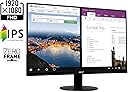
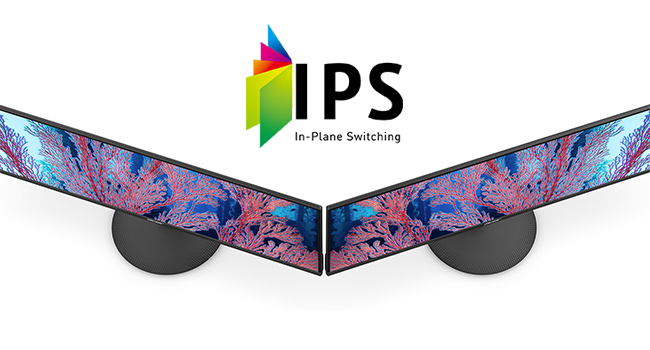
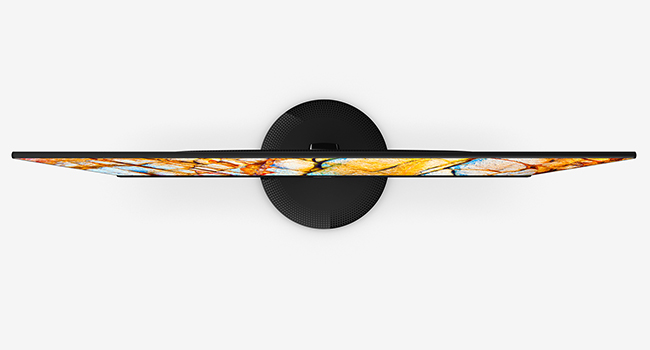
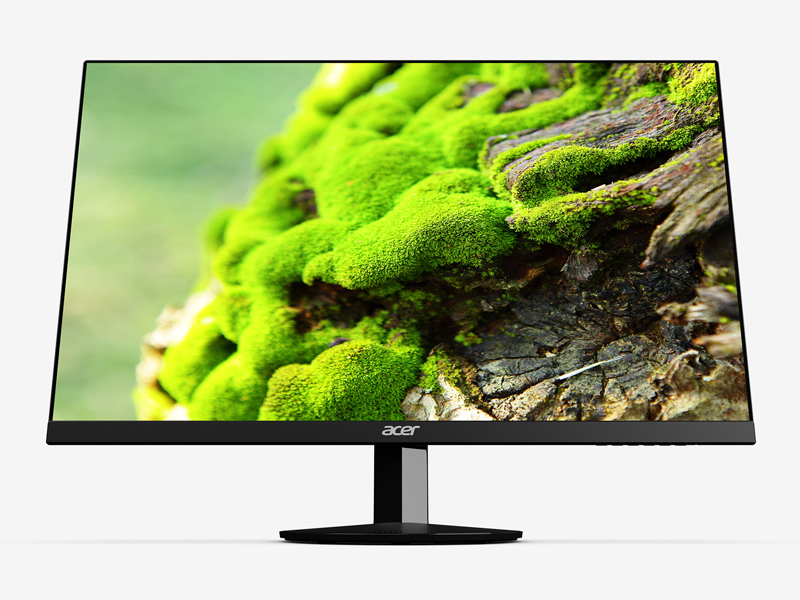
The Acer SB220Q bi is a 21.5-inch Full HD (1920x1080) IPS monitor featuring a 75Hz refresh rate with AMD FreeSync for smooth visuals, an ultra-thin zero-frame design for a modern look, and versatile HDMI & VGA connectivity. Its 4ms response time and wide 178° viewing angles make it ideal for professional multitasking, casual gaming, and immersive entertainment, all wrapped in a compact, stylish package.




| ASIN | B07CVL2D2S |
| Adaptive Sync | FreeSync |
| Additional Features | Frameless |
| Aspect Ratio | 16:9 |
| Best Sellers Rank | #2,862 in Electronics ( See Top 100 in Electronics ) #121 in Computer Monitors |
| Brand | acer |
| Brightness | 250 cd/m² |
| Built-In Media | Display, Stand, VGA Cable |
| Color | IPS 75Hz |
| Color Gamut | 0.72 |
| Compatible Devices | Devices with HDMI or VGA ports |
| Connectivity Technology | hdmi vga |
| Contrast Ratio | 100 Million:1 MAX (ACM) |
| Customer Reviews | 4.6 out of 5 stars 42,374 Reviews |
| Display Resolution Maximum | 1920 x 1080 Pixels |
| Display Technology | IPS |
| Display Type | LED |
| Global Trade Identification Number | 00191114774571 |
| Hardware Connectivity | HDMI, VGA |
| Has Color Screen | Yes |
| Image Contrast Ratio | 100 Million:1 MAX (ACM) |
| Is Electric | Yes |
| Item Dimensions D x W x H | 8.3"D x 19.6"W x 15.1"H |
| Item Type Name | Acer 21.5 Inch Full HD (1920 x 1080) IPS Ultra-Thin Zero Frame Computer Monitor (HDMI & VGA Port), SB220Q bi |
| Item Weight | 5.6 Pounds |
| Manufacturer | Acer Computer |
| Model Name | SB220Q |
| Model Number | SB220Q bi |
| Mounting Type | Wall Mount |
| Native Resolution | 1920x1080 |
| Number of Component Outputs | 1 |
| Picture Quality Enhancement Technology | Radeon FreeSync |
| Power Consumption | 25 Watts |
| Processor Count | 1 |
| Refresh Rate | 75 |
| Resolution | FHD 1080p |
| Response Time | 4 Milliseconds |
| Screen Finish | Glossy |
| Screen Size | 21.5 Inches |
| Screen Surface Description | Glossy |
| Shape | Flat |
| Specific Uses For Product | personal, gaming |
| Total Number of HDMI Ports | 1 |
| UPC | 191114774571 |
| Viewing Angle | 178 Degrees |
| Voltage | 110 |
| Warranty Description | 3 Year Limited Warranty |
| Warranty Type | Limited Warranty |
N**P
Excellent monitor for the price
Bought this monitor over 7 years ago and it has served me well. I've had it turned on 24 hours almost every day (only turns off because of blackouts). It still looks vibrant and there's no noticeable bad pixels or defects. Only problem I can see with it is the power light is faded. Overall excellent quality, especially considering the low price. As it comes time for me to turn it off for good (only because I wanted a new monitor that supports Nvidia GSync) I thought I'd write this.
C**R
Great Budget Monitor!
This review is for the SB220Q series (1920x1080) 75Hz monitor variant. At a $90 price point as of July 2020, all of the praise this monitor has gotten and continues to get is pretty well deserved. Right out of the box the factory calibration is pretty awful as with most TVs and monitors (I’ll never understand why that is), but Acer’s built-in menu gives you a wide range of control to tweak the image quality to your liking. Here are some of the most noticeable Pros & Cons after using this monitor daily for the past three weeks: PROS: - The colors can be very vibrant and the sharpness makes everything nice and crisp both up close and from a distance without going overboard. Although the spec sheet does not specify the exact Adobe or sRGB color gamut range, it does have a stated 72% NTSC coverage (keep in mind that the NTSC color gamut has the highest level of color reproduction), which would imply that it should have close to 100% sRGB coverage. This is pretty standard for most sub $200 monitors (note: the unit that TechSpot tested came in at around 93% of sRGB coverage mostly losing detail in the green range so your unit’s reproduction may vary). The 6-bits + FRC (equal to 8-bits) color depth is also an industry standard for entry level monitors and is completely fine for casual use. - This montior’s “100,000,000:1” Dynamic Contrast Ratio (DCR) (non-standardized measure of contrast for videos) definitely seems to outperform my other slightly more expensive budget IPS monitors (the HP VH240a and ViewSonic VS2412-H) that only have 20,000,000:1 and 50,000,000:1 contrast ratios respectively. However, note that it still has an industry standard 1000:1 Static Contrast Ratio (measure for non-moving images) which isn’t great but is perfectly acceptable for casual viewing since only the highest tiered ($400+) IPS panels exceed that point with 1,500:1 being the maximum native contrast typically achievable with an IPS. ~ A quick side note about that “100,000,000:1” DCR number: there is no industry standard methodology for this particular measurement so the number itself is mostly useless marketing fluff. But as I noted, compared to the two other monitors with the same industry standard SCR, this monitor did seem to outperform them both in that area. - Its 102 PPI pixel density actually makes a subtle difference in image quality when viewing up close compared to my 24 inch 1080p monitors that have a 92 PPI. Text seems to be a bit smoother in comparison. This is purely an advantage of having the smaller 21.5 inch screen. - The Color Adjustment Menu allows you to adjust both the RGB and CMY gains, bias, hues, and saturation levels to get a better color balance. - The Picture Menu lets you adjust the screen’s brightness, contrast, gamma, and blackness (“black boost”) levels while also providing a ‘blue light’, ‘adaptive constrast’ (ACM), and a ‘Super Sharpness’ on/off switch. - The Game Menu has FreeSync (for AMD GPUs) and Overdrive options CONS: - The bezels are a bit thicker than I woud’ve liked (they’re about 1 cm on the top, left, and right sides) making the frameless design nothing more than a gimmick. - The top-down viewing angle is noticeably darker compared to looking at the screen head on. - Despite having a good DCR of 100M:1, the blacks are still a bit too bright for watching anything with heavy dark scenes since the display itself does not have any HDR capabilities with high contrast control zones aka local dimming (to be fair, this is completely expected at this $90 price point and is only being mentioned as reference for those that may be thinking of using this monitor to watch TV/movies). - The Picture Menu’s ‘Super Sharpness’ option is just an on/off switch; it does not give you a more granular adjustment control over the amount of sharpness to apply. - Even with all of the image quality adjustment options available in the settings, the whites remain on the slightly warmer side of the color temperature chart. It’s not that noticeable when viewing on this monitor alone, but the difference can be seen if you have another slightly cooler display adjacent to it. This is most likely just an issue with my particular unit since other reviews have noted their unit had a more neutral or “near perfect” white temp. - It only has a paltry 15° degree back tilt compared to most other budget monitors being able to tilt closer to 30° degrees (this is super nitpicky as compromises are to be expected at a sub $100 price point). - The Power button is completely indistinguishable from the rest of the menu buttons (both in shape and spacing). Overall, if you’re looking for a nice quality budget monitor to look at spreadsheets, word documents, and do some internet browsing or even some light casual gaming, then this is a great choice. If you are a competitive gamer, photographer, professional editor, or a content creator then you’ll obviously need to invest in a higher spec monitor.
U**D
Great quality, fantastic price!
I purchased this monitor for my wife to use with her Alienware R17X4 laptop. She had broken a key on her keyboard but also wanted a little larger screen. So, I purchased a wireless keyboard and this monitor. She now uses the powerful Alienware laptop as a desktop with a larger display and a wireless, movable keyboard. She is a very happy camper. Others have commented on the great graphics, thin design, and good quality build for a great price, so I won't repeat those details here. I will however point out a few tips: 1. At first, it seems the stand will not tilt. But it does! Grasp the stand firmly and then tilt the monitor back to the desired position. Note it does not tilt forward or side to side, but does tilt back (facing more upwards towards your eyes) which really helps in most settings. 2. If you don't get a signal, make sure you plugs the HDMI cable into the "HDMI out" port on your PC, not the "HDMI in" port. Duh. I had mine plugged into the wrong port until I found my reading glasses and saw the problem. 3. We changed three settings which you may want to also do if you have a laptop. First, we changed the display settings to choose between "Second screen only", "Duplicate", or "Extend". We chose "Extend" so she can have two documents open at once on the two monitors, her laptop screen and the new monitor. You just drag one document off the edge of the monitor to move it to the other screen. 4. Next, we found that closing the laptop, when she only needed one screen, put it into hibernation and shut everything down. We went into Control Panel and changed Power Settings under "What happens when you close the lid". We changed it from "Hibernate" to "Do nothing". Now the laptop keeps running even when the laptop is closed. 5. Third, most Windows laptops are configured so you have to drag things off the right edge of your new remote monitor to get them onto the laptop screen. However we wanted her laptop setting to the left of her new monitor, so it was confusing to have to drag something off the right-hand edge of the monitor to get it onto the left-hand screen on the laptop. We went back into display settings, where you can drag the two monitors in the settings to reverse them. Now, she can drag items from the left-hand screen to the right-hand screen by dragging them in that direction, and vice versa. Much more intuitive to use that way. With those changes to the settings, she can open the laptop and use it as two monitors, dragging and dropping documents and apps from one screen to another. When she closes the laptop lid, it reverts to a single monitor (the new Acer) but does not go to sleep. This is perfect for what she needs. She can still power off the monitor when not needed for an extended period. Also, the laptop speakers still work when she turns on the sound even when the laptop is closed. I highly recommend this monitor for anyone wanting a very good quality, cost-effective solution.
N**Y
Good, But Not Great
The monitor is very thin and light. Setup was easy, and it worked immediately with my Dell Windows 11 machine. The quality of the display is good, but not breathtaking. It did not come with an HDMI cable or an audio cable, only a VGA cable. The stand does not allow you to move the monitor up and down or side to side; you can only tilt it forwards and backwards a little.
P**E
It's now JAN 1 2025 I bought this JAN 1 2021
EDIT: LOVE IT. The size for the price is great, although at some point when I need to replace I might just get a little bigger although this size is fine. NO PROBLEMS with it and I use it A LOT. _________________________________________________________________ First, NOT a gamer, and to put mildly, NOT into tech...at all. I'm turning 70 and haven't had to deal much with changing out monitors or desktops in some time. I just turn it on and expect it to work. I'm saying that so you can tell set up was so easy. My old monitor, that was inches smaller than the 21.5 (I got it over a decade ago) had been used over 11 years and was a floor model when I bought it! It was great, but could tell it's days were numbered. I stream movies, email, stuff like that. Just wanted a simple, inexpensive, but decent monitor and my very Tech nephew (he is in charge of tech for a company) recommended this one for what I wanted to pay. PICTURE QUALITY/CLARITY - For what I use for, GREAT. I can't speak to how it would be for gamers. Great for streaming movies. PRICE: It was on sale when I got it so it was a total of about 90 bucks with tax (I have Prime free ship) SET UP - OK the manual I found worthless. Yes, I can just follow the cables, but this monitor was a tad different than my old one. My nephew, in three sentences, over the phone, told me exactly what to do and it was super easy. I DID find it easier to put this monitor in my lap, do the plug ins, put the stand on, and then move to my desk where I connected to my computer rather than try to set it up on my computer table. This monitor is SO much thinner than my last one. I waited to write this review til I had it at least a couple weeks and, so far, very happy. If anything changes, I will DEFINITELY edit! BOTTOMLINE: Would get again.
I**K
Great monitor well worth the price but NO VESA monitor mounts on back
I love these affordable monitors. They look great and provide high-quality output. Looks and works great for web browsing or the most action-packed of games. I have purchased 5 of these over the last year as they have worked so well. Lightweight, nice design, and good quality. I haven't had one fail yet over the last year of use. The only disappointment I had was finding that there was no VESA standard, or any other option on the back of the monitor to attach it to a different monitor stand. I have a multi-monitor stand and hoped to add 2 more monitors but these could not be attached to the monitor mount and they are so thin I see no way of adding one without damaging the monitor. I used one for my 3rd (unmounted monitor) that you see in the pics, 1 for a digital backglass in a virtual pinball machine, and 2 for my gamer son. I have the 5th one in my 'spares' collection just in case. However, even without the VESA mount, these are still a great deal if you just need a nice, flatscreen monitor for a desk that looks great.
C**R
Good deal for a throwaway monitor
I used to live in a cool, quiet house in a valley but had to move into a hot and noisy apartment in the city, with no A/C. The temps inside get up to 88 F on a hot day with a 90 F high! As room temp is considered to be 68-72 F, I was worried about my high end Lenovo ThinkVision monitor ($300) and HP color laser printer ($400) being fried or corroded in the heat and humidity of this wretched climate. So I placed both in my air-conditioned self storage unit while I look for better living conditions. To replace them, I decided to buy this $85 Acer monitor and an $85 HP inkjet printer (which costs less than a black toner cartridge for my color laser) and I could pretty much dump then when I move abroad to live (my main intentions). While the Acer is no match for the color saturation, overall screen quality, and bells and whistles of the Lenovo (which was pretty much hand-picked at Best Buy before I pulled the trigger on a good monitor), the Acer has surprised me for such a cheap monitor. It's sharp and color contrast is excellent. My main issue was the screen background being yellowish-green compared to my Lenovo or my Dell XPS, however it got whiter with time as the monitor burned in. In addition, I used the preset screen settings and found a couple that was able to whiten up the screen quite a bit, so that now, it's not bad at all. For $85, I expected soft, blurry text with dull colors in which case I'd return the monitor but I have no complaints now: sharp, excellent color saturation and contrast, and decently white background. Just be aware it has ZERO USB ports, no USB charging port, no HDMI or DisplayPorts, and no audio out port - nor height and tilt adjustments - like my Lenovo. In addition, Acer deleted the audio out port that the earlier models had. Well, I guess you get what you pay for. It's probably worth it to spend 3-4X the cost of the Acer to get a good monitor like the Lenovo, but for my purposes, the Acer suits me fine. I might have to find room in my self storage to keep the monitor as it's too good to throw away!
M**E
Used In My Zombie Containment Unit for Halloween
I bet you didn't expect to see a review with this type of usage of the monitor, did you. I built a zombie containment unit for Halloween a few years ago in which it used a monitor to give the illusion a zombie was trapped inside the unit. I used a very cheap monitor in the past and found that it looked okay when looking straight on at it, but any angle from the sides or from the bottom would wash out the image and the illusion was broken. Given that the "window" was about 5 and a half feet from the ground, anyone shorter couldn't view the video. So, I found that I needed a type of monitor that had wide viewing angles so you can see it from off angles instead of just straight on. This monitor has an IPS board that allowed for these sharper viewing angles. Here are some things that I looked for when researching a monitor to buy: * Largest monitor I could buy for under $100 USD * Lightweight as it would be hung on the inside of the "unit" * Bright/vivid video * Sharp viewing angles without loss of image quality * at least 22" diagonal width. The previous monitor was only 15" so I wanted to get a larger size for more realistic size "zombiie" within. This monitor checked off all the boxes. I also had a $15 Amazon gift card which softened the hit to the wallet. Once received, I hooked up the power cord and an HDMI cable that went to a small digital video player that had a memory card which played the trapped zombie clip. I didn't attach the base as doing so would not allow me to mount the monitor inside the cabinet. This isn't a Halloween prop build video so any details of the unit is limited to the monitor itself. I used a felt material inside the cabinet along the edges where the front of the monitor would be in contact with to protect the screen as this is a bezel-less screen on the top and sides. I didn't want any scratches! No bezels was the only real drawback to the monitor. Funny to think that as any other use would welcome no bezels. Anyway, the clip I uploaded is the monitor integrated within the cabinet. I'm really happy with how it turned out and having this monitor has really took this prop a notch up. Overall, I recommend this monitor if you are looking for a monitor with sharp viewing angles. Colors are good, no dead pixels on my screen and the price was right for the size. Other than how I use it, I can't say much more.
Trustpilot
1 month ago
1 week ago